
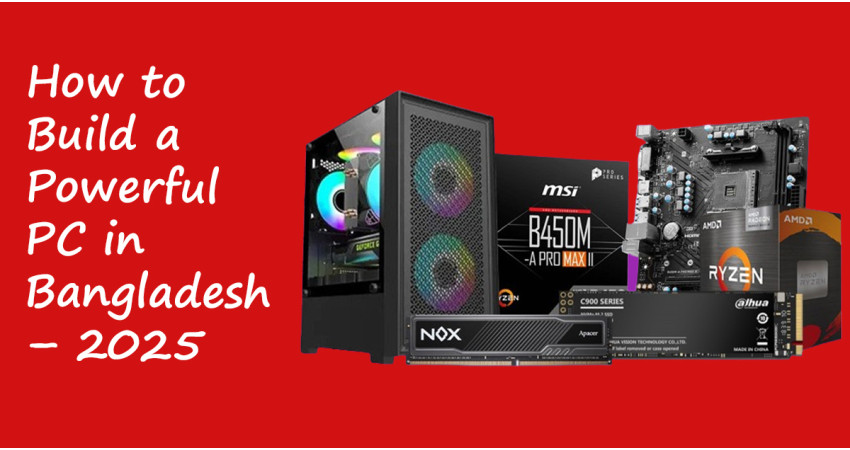
How to Build a Powerful PC in Bangladesh – 2025 Guideline with Tech Valley
Building a custom PC is more than just a hobby; it’s an empowering journey that gives you complete control over your computing experience. Unlike a pre-built machine, a custom PC allows you to choose every single component, ensuring your computer is perfectly optimized for your specific needs—whether it's for high-resolution gaming, professional video editing, or complex 3D modeling. You get to decide where to invest your money for the best performance and avoid paying for features you don't need. This level of customization not only guarantees a machine that meets your demands today but also makes it easy to upgrade later as your needs evolve. If you are searching for the latest processor price in BD, this guide will also give you updated insights for 2025.
However, building a PC in Bangladesh can be a unique challenge. The market is vast, with countless brands, varying prices, and a mix of genuine and counterfeit products. Finding a reliable source for authentic components at competitive prices is crucial to a successful build. This is where Tech Valley stands out as a trusted partner. As one of the most reputable names in the country's tech industry, they have built a strong reputation for offering a wide range of genuine, high-quality PC parts. Their dedication to customer satisfaction makes them the ideal place to start your PC-building journey, ensuring you get the best value without compromising on quality. Whether you’re checking motherboard price in BD, RAM price in BD, or even CPU cooler price in BD, Tech Valley has all the options you need.
This comprehensive guide will walk you through the most essential components of a PC, from the CPU to the power supply, helping you understand each part's role and how to choose it wisely. With Tech Valley as your reliable source for authentic components, building your dream PC is no longer just a goal—it’s a reality waiting to be assembled.
Why a Custom PC Build is Important for You
In a market saturated with pre-built computers, choosing to assemble your own PC offers unparalleled benefits. A custom build is not just about putting together components; it's about gaining control, understanding your technology, and creating a machine that is uniquely yours.
-
Tailored to Your Specific Needs: Unlike a pre-built PC, a custom build lets you hand-pick every component. This ensures your computer is perfectly optimized for your specific use, whether it's for gaming, video editing, or professional work.
-
Superior Value for Your Money: Building a PC yourself often provides a better price-to-performance ratio. You avoid the markups and assembly fees charged by pre-built manufacturers, so your budget goes further.
-
Empowering Learning Experience: The process of building a PC teaches you how each component functions. This knowledge gives you the confidence to troubleshoot problems and make smarter upgrade decisions in the future.
-
Designed for Upgradability: A custom-built PC is an investment in longevity. Its modular design makes it easy to swap out individual components, keeping your system relevant for years to come.
Estimated Cost to Build a PC from Tech Valley Distribution (2025 Guide)
The cost of building a PC can vary greatly depending on your budget and the kind of performance you desire. Based on the information from Tech Valley Distribution's website, here is an estimated cost breakdown for three different PC build categories.
Note: These prices are approximate and subject to change based on market conditions, specific product models, and ongoing offers. All prices are in Bangladeshi Taka (৳).
1. Budget PC Build: For General Use and Light Gaming (৳30,000 - ৳40,000)
This type of build is suitable for general users, such as for online classes, office work, and light gaming.
-
Estimated Total Cost: ৳30,000 - ৳40,000
-
Components: Intel Core i3 or AMD Ryzen 3 (check intel processor price in BD and amd processor price in BD for best deals), compatible motherboard, 8GB RAM, and an HDD/SSD.
Tech Valley offers 'Budget Build' packages in this range.
2. Mid-Range PC Build: For Gaming and Productivity (৳70,000 - ৳100,000)
This budget is very popular for those who want to game or do graphical work. It strikes the best balance between performance and price.
-
Estimated Total Cost: ৳70,000 - ৳100,000
-
Components: Intel Core i5 or AMD Ryzen 5 processor, upgraded motherboard, 16GB RAM, fast NVMe SSD.
Tech Valley has several package PCs available in this range with updated processor price in BD.
3. High-End PC Build: For Professionals and High-Performance Gaming (৳150,000+)
This build is for enthusiasts who want the ultimate performance for 4K gaming, video editing, and other high-power tasks.
-
Estimated Total Cost: ৳150,000+
-
Components: Intel Core i7/i9 or AMD Ryzen 9, advanced cooling systems, 32GB+ DDR5 RAM, large NVMe SSD.
The cost for a PC build in this category can exceed ৳200,000, and Tech Valley's website also features high-end build packages in this range.
PC Components Price in Bangladesh 2025 (Tech Valley Estimate)
| Component | Estimated Price Range (৳) |
|---|---|
| Processor (CPU) | 10,000 – 55,000+ |
| Motherboard | 8,000 – 40,000+ |
| RAM (8GB – 32GB, DDR4/DDR5) | 2,500 – 25,000+ |
| Power Supply (PSU) | 3,500 – 15,000+ |
| CPU Cooler (Air & Liquid) | 2,000 – 12,000+ |
| Storage (SSD/HDD) | 4,000 – 18,000+ |
| Graphics Card (GPU) | 20,000 – 100,000+ |
Part 1: The Core Foundation – CPU and Motherboard
Your PC's performance begins with its two most fundamental components: the processor (CPU) and the motherboard. Think of the CPU as the brain of your computer and the motherboard as its central nervous system, where all other components connect. Getting these two right is the most critical first step in your build.
Choosing Your Processor: Intel Processor Price in BD vs AMD Processor Price in BD
In the world of PC building, the choice between Intel and AMD is a classic debate. Both brands offer high-performance CPUs, but they excel in different areas.
-
Intel Processors: Intel has a long-standing reputation for strong single-core performance. This makes their processors a fantastic choice for gamers who want the highest possible frame rates in single-threaded games. Their current lineup, including the Core i5 and Core i7 series, offers a great balance of performance and efficiency for modern gaming and general productivity. For users on a tighter budget, the Core i3 series provides excellent value, capable of handling everyday tasks and light gaming with ease. For the latest intel processor price in BD, Tech Valley lists updated 2025 models with warranty.
-
AMD Processors: AMD's Ryzen series has become a powerhouse, particularly known for its exceptional multi-core performance. This makes AMD CPUs the preferred choice for creative professionals and content creators who frequently engage in demanding tasks like video editing, 3D rendering, and live streaming. The Ryzen 7 and Ryzen 9 series are the go-to for heavy-duty work, while the Ryzen 5 series provides a versatile and powerful solution for both gaming and creative applications. For up-to-date amd processor price in BD, Tech Valley features the full Ryzen lineup at competitive rates.
When you shop at Tech Valley, their knowledgeable staff can help you navigate the nuances between these two brands, ensuring you select a processor that perfectly matches your workload and budget.
The Motherboard: Your System's Backbone
The motherboard is where all your components come together. Choosing a compatible motherboard is not just about making sure your parts fit—it's about ensuring they work together at their full potential.
-
Compatibility and Chipsets: The most important factor is the socket type, which must match your chosen processor (e.g., Intel's LGA 1700 socket or AMD's AM5 socket). The motherboard's chipset also dictates its features and capabilities. For instance, a high-end motherboard with a Z790 (Intel) or X670 (AMD) chipset will support more advanced features like PCIe 5.0, faster RAM speeds, and better overclocking potential. For most users, a B-series chipset (like Intel B760 or AMD B650) offers a perfect balance of features and affordability.
-
Form Factor and Brand: Motherboards come in various sizes, the most common being ATX and Micro-ATX. An ATX motherboard is the standard size for most PC cases and offers more expansion slots, while a Micro-ATX is smaller and a great option for compact builds. When searching for a motherboard price in BD, you will find trusted brands like Gigabyte, ASUS, and MSI. Tech Valley’s selection of Gigabyte motherboard price in BD offers a wide range of options, from budget-friendly boards to premium gaming motherboards with built-in Wi-Fi and high-speed networking.
Part 2: Performance and Power – RAM and PSU
With your CPU and motherboard selected, you can focus on two more essential components that directly impact your PC's speed and stability: RAM and the Power Supply Unit (PSU).
RAM: The Multitasking Engine
RAM (Random Access Memory) is where your computer stores temporary data for quick access. It’s what allows you to run multiple applications smoothly without your system slowing down.
-
DDR4 vs. DDR5: In 2025, you'll see two types of RAM: DDR4 and DDR5. DDR4 is still a solid choice for most builds, offering great performance at a lower cost. However, DDR5 is the new standard, providing faster data transfer speeds. If you're building a high-end system with a new-gen CPU, DDR5 is the ideal choice. Tech Valley has a wide range of RAM price in BD options for both DDR4 and DDR5. They also carry laptop RAM price in BD products, perfect for upgrading an existing notebook.
-
Capacity and Speed: For a modern PC, 16GB of RAM is the recommended minimum for a good gaming and multitasking experience. For heavy-duty tasks like video editing, 32GB or more is highly recommended. RAM speed, measured in MHz, also affects performance. We recommend aiming for at least 3200MHz for DDR4 and 5600MHz for DDR5 to unlock your system’s full potential.
Power Supply Unit (PSU): The Unsung Hero
Never compromise on your power supply. The PSU delivers power to every single component in your PC. A cheap, unreliable PSU can lead to system instability and, in the worst-case scenario, damage your expensive components.
-
Wattage and Efficiency: You need a PSU with enough wattage to power your entire system. A good rule of thumb is to calculate the total power consumption of your components (especially your CPU and graphics card) and add a buffer. You'll also want to look for an 80 Plus certification (Bronze, Silver, Gold, Platinum, Titanium). An 80 Plus Gold PSU, for example, is highly efficient.
-
Brands and Modularity: You can find a wide variety of power supply price in BD options at Tech Valley. Reputable brands like Corsair, Antec, and Seasonic are a great investment. Consider a semi-modular or fully modular PSU for easier cable management and airflow.
Part 3: Beyond the Basics – Storage, Cooling, and Graphics
With the core components in place, let's look at the parts that will complete your build and take it to the next level.
Storage: SSD vs. HDD
Modern PCs rely on Solid-State Drives (SSDs) for speed. An SSD will dramatically improve boot times, application loading, and overall system responsiveness. While Hard Disk Drives (HDDs) offer massive storage at a lower cost, they are much slower.
We recommend using an NVMe SSD for your operating system and primary applications. You can then add a high-capacity HDD for storing large files, games, and media. Tech Valley offers a full range of SSDs and HDDs from top brands.
Cooling Solutions: Keep Your PC Chill
To ensure your components run efficiently and last longer, especially a powerful CPU, you need a good cooling solution.
-
Air Coolers: These are the most common and affordable cooling options. They use a heatsink and a fan to dissipate heat.
-
Liquid Coolers (AIO): For high-end CPUs, enthusiasts often opt for All-in-One (AIO) liquid coolers. These sealed units use a radiator and pump to draw heat away from the CPU, offering superior cooling performance.
For those checking CPU cooler price in BD, Tech Valley provides multiple options ranging from affordable air coolers to premium AIO liquid solutions.
The Graphics Card (GPU): The Visual Powerhouse
While this guide focuses on the core components, no gaming or creative PC is complete without a dedicated graphics card. Tech Valley carries a wide range of GPUs from NVIDIA and AMD, from budget-friendly options to powerful, high-end cards.
A Realistic Timeline for Building a PC
The duration of a PC build varies greatly, but with proper planning, the process is far more manageable than you might think. A first-time builder should realistically set aside 3 to 4 hours for the physical assembly. This includes carefully installing the CPU, motherboard, RAM, and other components while following the manuals. For experienced builders, this time can be significantly reduced.
However, the total time for the entire project extends beyond just the assembly. You should also account for preparation, unboxing, and software installation. Troubleshooting may add more time. It’s wise to dedicate a full afternoon or even a day to avoid rushing and ensure a successful first boot.
Where You Can Build Your PC with Affordable Budget and Best Service
Building a custom PC in Bangladesh in 2025 doesn’t have to be confusing or risky. With Tech Valley, you get more than just parts—you get authentic products, transparent pricing, and expert guidance every step of the way. From powerful Intel and AMD processors to reliable Gigabyte motherboards, high-speed RAM, efficient power supplies, and durable CPU coolers—everything you need is available under one roof at Tech Valley. Their commitment to genuine products with warranty and personalized customer support makes them the most trusted name in the IT industry of Bangladesh. So why take chances elsewhere? Start your PC-building journey today with Tech Valley—where performance meets reliability, and your budget finds the best value.
Build smarter. Build faster. Build with Tech Valley.

Fatafat
29 Jan, 2026Building a custom PC in Bangladesh is a solid choice if you want to control every aspect of your system and get the best performance for your budget. The process lets you pick exactly what you need, whether it's for gaming, video editing, or just everyday use. I personally like how they break down the costs into categories—budget, mid-range, and high-end—so you can easily choose based on your needs. And having reliable sources like Tech Valley ensures you're getting genuine parts, which is crucial here. Also, the step-by-step guide about selecting components like CPU, motherboard, RAM, and GPU is really helpful. It makes the whole process less intimidating if you're new to building PCs. Plus, you get the freedom to upgrade later without being stuck with a pre-built system.