
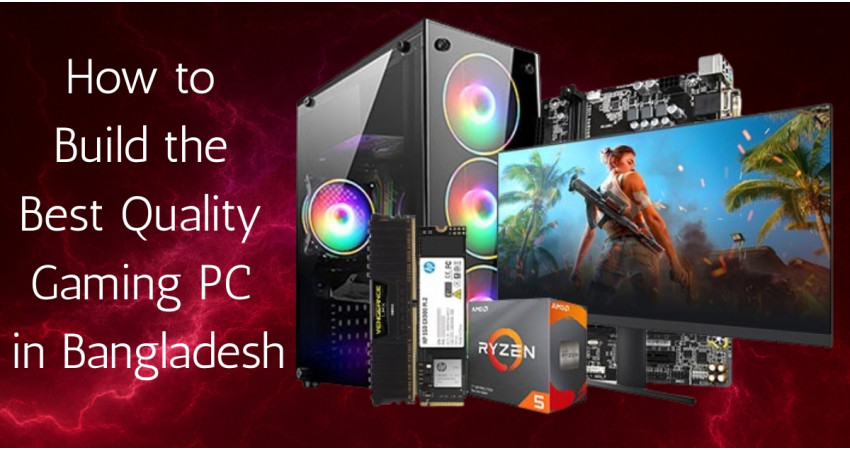
An ultimate gaming PC setup is no longer just a dream for Bangladeshi gamers, it’s an achievable goal for anyone passionate about performance, visuals, and style. Whether you’re an eSports enthusiast, a casual gamer, or a content creator, having the right gaming gear can make all the difference. A powerful graphics card, a smooth monitor, a responsive keyboard and mouse, and an efficient cooling fan together define your gaming experience. In this guide, we’ll walk you through the best gaming pc setup in Bangladesh, from graphics cards to accessories, while also helping you understand the current best graphics card price in Bangladesh, exclusive monitor price in Bangladesh, and other essential component prices. So, let’s dive into how you can level up your gameplay this year!Building a gaming PC in 2025 isn’t just about assembling parts — it’s about creating a setup that reflects your style and performance goals. With new-generation GPUs, high-refresh monitors, and RGB-loaded peripherals available in Bangladesh, you can now enjoy next-level gaming without breaking the bank. We’ll also share practical tips on balancing budget and performance, choosing the right brands, and ensuring your setup stays future-proof for the coming years. Whether you want smooth 4K gaming or competitive FPS dominance, this guide will help you craft the perfect setup that truly defines your gaming identity.
Why is a Proper Gaming Setup Important?
Gaming is no longer just entertainment. It’s a competitive and creative field that demands performance and precision. A beautiful gaming setup gives you:
- Smooth Gameplay with High FPS (Frames Per Second): A high FPS ensures your games run smoothly without lag or stuttering. It makes every movement feel fluid and natural, giving you a more immersive gaming experience. The higher the FPS, the better the overall gameplay feels.
- Faster Response Time for Competitive Advantage: Quick response time means your actions register instantly during intense gameplay. This helps you react faster, aim better, and gain a serious edge in competitive games like Valorant or CS2. Every millisecond matters in esports!
- Better Visuals through High-Resolution Displays: High-resolution monitors bring out sharper details, vibrant colors, and lifelike graphics. You’ll notice every texture and motion clearly, making your favorite games more realistic and enjoyable to play.
- Comfortable Experience with Ergonomic Accessories: Ergonomic keyboards, mice, and chairs keep you comfortable during long gaming sessions. They reduce hand strain and body fatigue, allowing you to focus better and perform at your best without discomfort.
- Longevity Thanks to Proper Cooling and Durable Components: Good cooling systems and quality hardware help your gaming PC last longer. They prevent overheating, protect sensitive parts, and ensure consistent performance over time. A cool system is a healthy system!
A beautiful setup not only improves your gaming sessions but also allows you to stream, edit videos, and multitask without lag or overheating.
What components are needed to build a gaming PC?
Graphics Card
A proper graphics card is very important when building a gaming PC. If you’re looking for the best graphics card price in BD, top brands like Intel, Gigabyte, NVIDIA, and AMD offer powerful options for every gamer. The Intel Arc A580 and A770 deliver great 1080p to 1440p gaming at an affordable cost, while Gigabyte RTX 4060, 4070 Ti, and 4090 ensure premium cooling and high-end 4K performance. NVIDIA’s RTX series leads with cutting-edge ray tracing and AI-driven DLSS technology, and AMD’s Radeon RX lineup offers solid power for budget-friendly builds. Whether upgrading your setup or building new, you’ll find the perfect balance of performance and value in the latest Intel graphics card price in BD, ranging from ৳6,600/- to ৳198,000+ depending on model and performance level available in Bangladesh.
Motherboard
If you’re planning to build a gaming or workstation PC, choosing the right motherboard is essential. Top brands like ASUS, Gigabyte, and MSI offer durable boards with the latest chipset and fast connectivity. You can easily check the latest motherboard price in BD, which typically ranges from ৳5,700 to ৳195,000+ depending on chipset, socket type, and extra features, to find one that fits your processor and budget perfectly.
Power Supply (PSU)
A quality power supply ensures system stability and component safety. Brands like Antec, Corsair, and Thermaltake offer reliable PSUs with 80 Plus efficiency ratings. To get the best deal, explore the updated power supply price in BD, where options generally range from ৳2,990 to ৳60,000+, and choose the right wattage for your gaming setup.
Processor (CPU)
The processor is the brain of your PC, handling all your multitasking and gaming needs. Intel and AMD processors deliver strong performance across different budgets. Before upgrading, compare the latest processor price in BD, which usually starts around ৳6,300 for entry-level models and can go up to ৳99,000+ for high-end gaming and workstation CPUs, to find the ideal CPU for your build.
CPU Cooler
Efficient cooling is key to maintaining performance during heavy tasks. From air coolers to liquid cooling systems, options from DeepCool, Cooler Master, and Antec perform great. To upgrade your system, explore the latest CPU cooler price in BD, ranging from ৳1,100 to ৳30,000+, and keep your CPU temperature under control while ensuring stable performance.
RAM
Fast RAM boosts overall system speed and gaming performance. Brands like Team, Corsair, and Adata provide reliable DDR4 and DDR5 modules. Check the current RAM price in BD, which typically ranges from ৳850 to ৳27,000+ depending on capacity and speed, to choose the right memory kit for your PC setup.
SSD
SSD storage drastically improves your boot and load times compared to HDDs. Brands like Samsung, Kingston, and WD offer high-speed NVMe and SATA SSDs. Visit to see the latest SSD price in BD, which usually starts around ৳1,350 for 120GB SATA and goes up to ৳16,500+ for high-end 2TB NVMe SSDs, and upgrade your PC performance instantly.
HDD
For storing large files and backups, HDDs remain an affordable choice. Seagate, Toshiba, and WD provide reliable drives for everyday use. You can easily find the latest HDD price in BD, typically ranging from ৳3,850 for 1TB to ৳31,000+ for 6TB or higher capacity drives, based on your required storage size and speed.
Casing
A stylish and well-ventilated casing enhances your build’s look and cooling efficiency. From RGB gaming cases to minimal tower designs, options from brands like Gamdias and Golden Field are popular. Compare the latest casing price in BD, which ranges from ৳1,870 to ৳50,000+, to choose one that matches your setup, airflow preference, and style.
Gaming Setup components Price List in Bangladesh
|
Component |
Example Model |
Price(BDT) |
Specification |
|
Intel Core i5 13th Gen |
36,800/- |
13th Gen Powerful Processor |
|
|
NVIDIA GeForce RTX 3060 EAGLE 12G 12GB |
49,000/- |
High-End 12GB GPU |
|
|
16GB DDR5 5600MHz |
3,300/- |
High-Speed DDR5 RAM |
|
|
Gigabyte B760M |
28,500/- |
Advanced Gaming Motherboard |
|
|
512GB NVMe |
2,900/- |
Ultra-Fast SSD Storage |
|
|
650W 80+ Bronze |
5,590/- |
Efficient Power Supply Unit |
|
|
Acer 21.5 Inch Ultra-thin SA2 Monitor |
10,000/- |
Slim Full HD Display |
|
|
Keyboard & Mouse Combo |
Logitech Pebble 2 Wireless Keyboard & Mouse Combo |
6,000/- |
Compact Wireless Combo |
|
Corsair iCUE QL120 RGB Case Fan |
3,400/- |
Premium RGB Cooling Fan |
Total Approximate Cost: ৳145,000 – ৳160,000
This kind of setup can easily handle modern AAA games, competitive esports, and even video streaming, all while looking amazing.
How to Build a Gaming PC in Step-by-Step?
- Step 1: Choose Your Budget and Purpose: Before starting, decide your total budget and gaming goal. Are you building for casual gaming, eSports, or high-end AAA games? This decision helps you plan your parts and avoid wasting money on unnecessary upgrades.
- Step 2: Select the Right Components: Choose your main components:- CPU, motherboard, RAM, GPU, storage, PSU, case, and cooling system. Make sure all parts are compatible. For example, an Intel processor requires a matching Intel socket motherboard.
- Step 3: Prepare Your Workspace: Find a clean, flat surface with good lighting. Keep a screwdriver, thermal paste, and all components nearby. Avoid carpets because static electricity can damage PC parts. Take your time and stay organized.
- Step 4: Install the Processor (CPU): Open the CPU socket on your motherboard. Gently place the CPU in the correct position, match the arrow mark. Close the socket cover slowly and lock it. Handle the CPU carefully; don’t touch the bottom pins.
- Step 5: Set-Up the RAM: Locate the RAM slots beside the CPU. Open the clips, align the RAM stick properly, and press down until you hear a “click.” If you have two sticks, install them in alternate slots (like A2 and B2) for better speed.
- Step 6: Set the CPU Cooler: Apply a small drop of thermal paste on top of the CPU. Then mount your cooler and screw it tightly in place. Finally, connect the cooler’s cable to the “CPU FAN” header on your motherboard.
- Step 7: Install the Power Supply (PSU): Place the power supply inside the PC case, usually at the bottom. Screw it firmly and make sure the fan faces outward or downward for airflow. Connect the main 24-pin and CPU 8-pin power cables later.
- Step 8: Mount the Motherboard: Carefully place the motherboard inside the case. Align the screw holes and tighten each screw gently. Make sure the I/O shield (backplate) is already installed before placing the board.
- Step 9: Add Storage (SSD or HDD): Install your SSD or HDD in the mounting tray or slot. Use SATA cables for 2.5"/3.5" drives or just plug NVMe SSDs directly into the M.2 slot. Secure them properly and connect power cables.
- Step 10: Install the Graphics Card (GPU): Find the PCIe x16 slot and gently insert your graphics card until it clicks. Screw it to the case bracket for stability. Then connect the GPU power cables from the PSU (usually 6-pin or 8-pin).
- Step 11: Connect All Cables: Now connect everything:- motherboard power, CPU power, GPU power, front panel buttons, and storage cables. Organize cables neatly using zip ties to improve airflow and make your PC look clean.
- Step 12: Power On and Test: Connect the monitor, keyboard, and mouse. Turn on the power switch and press the case power button. If the PC starts and you see the BIOS screen, congratulations. your system is running perfectly!
- Step 13: Install Windows and Drivers: Insert a Windows installation USB drive and follow the setup steps. After installing Windows, download and install your motherboard and GPU drivers to get full performance and system stability.
- Step 14: Finally, Enjoy Your Gaming Setup!: You’ve successfully built your own gaming PC! Now install your favorite games, adjust graphics settings, and enjoy smooth, powerful gameplay. You can always upgrade parts later as needed.
Final Thoughts
Gaming PC set-up is difficult, because there are many things to take care of. A powerful graphics card, a smooth monitor, a responsive keyboard and mouse, and an efficient cooling fan form the foundation of any great setup. However, if you read our complete instructions carefully and set up accordingly, you will be able to set up your Gaming PC beautifully and correctly, and take your Gaming to a more beautiful level.
Where to Buy Authentic Gaming PC Components in Bangladesh?
There are many IT stores to buy Gaming PC Components. But always choose authorized IT stores. Counterfeit or gray-market parts can harm your PC. Trusted stores like Tech Valley are popular for providing authentic products with official warranties and competitive prices. They also update component listings daily, so you can always find the latest graphics card price in Bangladesh, best monitor price in Bangladesh, and exclusive cooling fan price in BD with confidence. Explore our Laptop and Gadget section to more premium & authentic products.

There are no comments for this Article.