Your compare list is empty!

search
shopping_basket0
Compare Product (0)
closeYour compare list is empty!
YOUR CART
closeYour shopping cart is empty!
/intel-core-i3-10105-10th-gen-processor-tray-228x228.jpg "Intel Core i3 10105 10th Gen Comet Lake Processor (Tray)")
Whether you are building your first desktop from scratch, upgrading an aging rig, or assembling a workstation for professional editing, finding the right components at the right price is the single most important step. In Bangladesh, the PC component market has expanded rapidly over the past few years. Dozens of online and offline retailers now stock thousands of products from processors and graphics cards to storage drives and cooling systems. Prices start from as low as BDT 180 for basic accessories and climb past BDT 3,00,000 for flagship-tier hardware.
The challenge is not availability. It is making a smart, informed decision when hundreds of product listings compete for your attention. That is exactly why this guide exists. As the Best Computer Parts Shop in Bangladesh, we have organized everything you need to know about current pricing, component types, brand options, and buying strategies into a single page. Scroll down to explore our full inventory, or read through this guide first to understand what you need before you add anything to your cart.
A desktop computer is not a single product. It is a system of individual parts, each responsible for a specific function. The performance, stability, and longevity of your PC depend entirely on how well these parts match your workload and how wisely you balance your budget across them. Here is a breakdown of every major category you will find on this page.
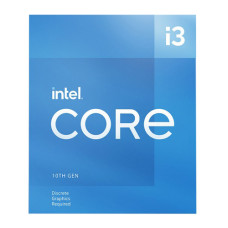
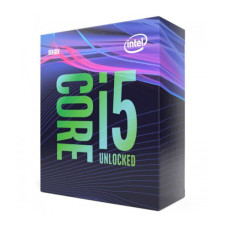
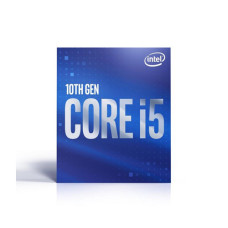
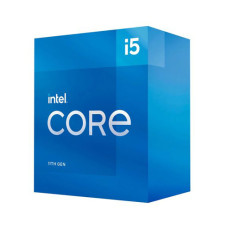
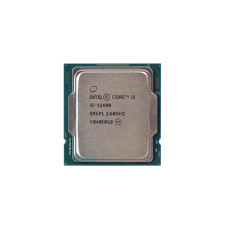
The processor handles every instruction your system executes. Whether you are running a browser with thirty tabs, compiling code, or rendering a 4K video timeline, the CPU determines how fast those tasks complete. In Bangladesh, the two dominant brands are Intel and AMD. Intel's Core i3, i5, i7, and i9 lineup covers everything from entry-level office machines to extreme workstations. AMD's Ryzen 3, 5, 7, and 9 series competes aggressively, often delivering more cores and threads at a similar or lower price point.
Processor prices fluctuate based on generation, core count, and platform. You can check the Latest CPU Price in Bangladesh on this page to compare current options across both Intel and AMD before choosing your chip.
Your motherboard dictates which processor you can install, how much RAM you can use, how many storage drives you can connect, and what expansion options are available for the future. Form factors include ATX for full-size builds, Micro-ATX for compact setups, and Mini-ITX for ultra-small systems. Chipset matters too. An Intel B760 board serves mid-range builders well, while Z790 unlocks overclocking. On the AMD side, B650 and X670 chipsets support the latest Ryzen 7000 and 9000 series processors with DDR5 memory.
We stock All types of Motherboards For PC from trusted manufacturers like ASUS, Gigabyte, MSI, and ASRock, so you can find the exact chipset and form factor that matches your build.
For gamers, video editors, 3D designers, and anyone working with visual data, the graphics card is the most critical purchase. NVIDIA's GeForce RTX 40-series and AMD's Radeon RX 7000 and 9000 series dominate the current market. GPU prices in Bangladesh range from around BDT 15,000 for entry-level cards like the GTX 1650 to well over BDT 2,50,000 for flagship models like the RTX 4090.
If you want strong frame rates without a massive electricity bill, explore our selection of Power efficient Gpu in Bangladesh to find cards that deliver excellent performance per watt, an important consideration given the power situation in many parts of the country.
RAM is your system's short-term memory. The more you have and the faster it runs, the smoother your experience when juggling multiple applications. For most users in 2026, 16GB of DDR4 or DDR5 is the practical minimum. Gamers and creators should consider 32GB. Prices vary by capacity, speed, and brand, with options from Corsair, G.Skill, Kingston, Team, and others.
Storage is where your operating system, applications, games, and personal files live. HDDs offer large capacities at low cost, making them suitable for bulk storage. SSDs, however, deliver dramatically faster read and write speeds. An NVMe M.2 SSD can load your operating system in seconds and cut game loading times significantly compared to a traditional hard drive.
We regularly update our Solid State Drive Deals so you can grab high-capacity NVMe and SATA SSDs from Samsung, Western Digital, Crucial, Kingston, and other brands at competitive prices.
A cheap or undersized PSU can cause system instability, random shutdowns, and even permanent damage to expensive components. Always choose a unit rated for at least 20 percent more wattage than your system draws under load. Look for 80 Plus Bronze, Gold, or Platinum certification for energy efficiency. Brands like Corsair, Cooler Master, Thermaltake, Antec, and DeepCool offer reliable units across all price tiers.
Check our Best PSU Deals to find certified, high-quality power supplies that protect your investment and keep your build running safely.
Your casing is more than a metal box. It determines airflow patterns, component clearance, cable management options, and the overall look of your setup. Full towers accommodate large GPU and radiator configurations. Mid towers balance size and capability for most builders. Compact Mini-ITX cases suit small desks and minimalist setups.
Browse the Available Casing Price in BD section on this page to compare options from brands like NZXT, Lian Li, Cooler Master, DeepCool, Antec, and local favorites like Value Top and MaxGreen.
Stock coolers handle basic workloads, but if you plan to push your CPU with demanding tasks or overclocking, an aftermarket cooler is essential. Tower air coolers from DeepCool, Noctua, and Cooler Master offer excellent thermal performance at reasonable prices. AIO liquid coolers from Corsair, NZXT, and DeepCool deliver superior cooling with a cleaner look inside your case. Additional casing fans help maintain positive airflow and keep overall system temperatures low.
Brand reputation matters when you are spending tens of thousands of taka on components that need to last for years. Here in Bangladesh, the market offers a solid selection of internationally recognized manufacturers alongside a few strong local names.
For processors, Intel and AMD dominate without any real competition. For motherboards and GPUs, ASUS, Gigabyte, MSI, and ASRock are the leading choices. For memory and storage, Samsung, Western Digital, Kingston, Crucial, and Team are widely available and well-supported.
For peripherals and power supplies, we are proud to carry Corsair Official Products including their acclaimed RAM kits, PSUs, AIO coolers, and gaming peripherals. We also stock Logitech Official Products for keyboards, mice, headsets, and webcams, giving you access to industry-leading input devices alongside your core build components.
Picking parts is not about buying the most expensive option in every category. It is about balancing your budget intelligently based on what you actually need the PC to do.
A student who needs a PC for browsing, document editing, and light coding does not need a dedicated graphics card at all. An integrated GPU on a Ryzen 5 or Intel Core i5 handles those tasks perfectly. A gamer targeting 1080p at high refresh rates needs a mid-range GPU and a capable CPU, but can save on storage and the motherboard. A content creator working with 4K video needs strong multi-threaded CPU performance, 32GB or more RAM, and fast NVMe storage. Identify your primary workload before you start browsing products.
Not every CPU fits every motherboard. Not every RAM stick works with every chipset. Intel 13th and 14th Gen processors require LGA 1700 socket boards. AMD Ryzen 7000 and 9000 series need AM5 socket boards with DDR5 support. Always verify that your processor, motherboard, and memory are compatible before placing an order.
Counterfeit and grey-market components are a real risk in any market. Always purchase from stores that carry Global Brands For Tech Products with proper distributor authorization. Authorized products come with valid warranty cards, manufacturer support, and genuine firmware. This protects your investment and gives you recourse if anything fails.
Computer component prices in Bangladesh are not static. Several factors cause them to shift, sometimes significantly, over short periods.
Import duty and tax play a major role. While computer spare parts currently attract minimal customs duty, the overall tax burden including advance income tax and regulatory duties adds to the final retail price. The USD to BDT exchange rate is another major driver. Since virtually all PC components are manufactured outside Bangladesh and priced in dollars, any weakening of the taka against the dollar pushes retail prices upward.
Brand tier and product positioning also affect pricing. A flagship ASUS ROG motherboard costs several times more than an entry-level ASUS Prime board, even though both are from the same manufacturer. Supply chain disruptions, new product launches that make older stock cheaper, and seasonal demand patterns like year-end sales or back-to-school seasons also influence what you pay.
The smartest approach is to monitor prices regularly, compare across multiple retailers, and buy when your target components hit a price you are comfortable with. Do not wait for a "perfect" price that may never arrive while your current system falls further behind.
Buying PC components is a significant investment, and you deserve a purchasing experience that protects you. Always verify warranty duration and terms before completing your order. Processor warranties typically cover 3 years. Motherboards and GPUs usually carry 2 to 3 years. RAM often comes with a lifetime or 10-year warranty. SSDs cover 3 to 5 years depending on the brand. PSUs from premium brands like Corsair and Seasonic can offer up to 7 or 10 years of coverage.
If something does not meet your expectations, our Tech Valley Return Policy ensures a hassle-free process so you can shop with peace of mind. We believe trust is built through transparency, and our return and exchange process reflects that commitment.
For those who prefer to spread the cost over time, we offer an EMI Option For Computer Accessories Shop In BD that lets you pay in convenient monthly installments across multiple banks and financial institutions. This makes it easier to get the components you need today without straining your budget all at once.
Basic accessories like thermal paste and small cooling pads start from around BDT 160 to 250. Core components such as processors, motherboards, and GPUs start from approximately BDT 5,000 and go up to BDT 3,00,000 or more for premium parts.
A basic desktop for office and study purposes costs BDT 25,000 to 40,000. A capable mid-range gaming PC falls between BDT 60,000 and 1,00,000. High-performance builds with dedicated GPUs and fast storage range from BDT 1,20,000 to 3,50,000.
Custom builds give you better control over component quality, exact performance tuning, and easier future upgrades. Pre-built PCs save time and sometimes come with extended system-level warranties. For most enthusiasts and power users in Bangladesh, custom building offers better long-term value.
Both deliver excellent gaming performance. Intel tends to lead in single-threaded tasks and raw gaming frame rates at the highest tier. AMD Ryzen offers more cores per price point, strong multi-threaded performance, and competitive gaming results. Your choice depends on budget and whether you prioritize pure gaming or mixed workloads.
Import duties, advance income tax, regulatory duties, shipping logistics, and the USD-BDT exchange rate all add to the final retail price. Limited local manufacturing means nearly all components are imported, and every step in the import chain adds cost.
DDR5 is the latest generation of desktop memory offering higher bandwidth and better power efficiency. It is required for AMD Ryzen 7000 and 9000 series (AM5) and supported on Intel 12th Gen and newer. DDR4 remains cheaper and still performs well for most tasks. If you are building on a new platform, DDR5 is the forward-looking choice.
Check the socket type. Intel 12th, 13th, and 14th Gen CPUs use LGA 1700. AMD Ryzen 7000 and 9000 series use AM5. Match the socket on the processor to the socket on the motherboard. Also confirm the motherboard chipset supports your specific CPU model by checking the manufacturer's CPU support list.
Add up the TDP of your CPU and GPU, then add roughly 150 to 200 watts for other components and overhead. A mid-range gaming build with an RTX 4060 and Ryzen 5 typically needs a 550W to 650W PSU. Builds with high-end GPUs like the RTX 4070 Ti or higher should use 750W to 850W units.
Yes, for most users. NVMe SSDs offer 3 to 7 times faster sequential read and write speeds compared to SATA SSDs. Boot times, application loading, file transfers, and game loading all benefit noticeably. The price gap between NVMe and SATA has narrowed considerably, making NVMe the default recommendation in 2026.
Yes, this is one of the biggest advantages of a custom desktop. You can upgrade RAM, storage, GPU, and even the CPU as long as your motherboard supports the new component. Choosing a modern platform like AM5 or LGA 1700 ensures you have a viable upgrade path for several years.
Warranties vary by product. Processors typically carry 3 years. Motherboards and graphics cards offer 2 to 3 years. RAM often comes with lifetime or 10-year coverage. SSDs cover 3 to 5 years. PSUs from top brands offer 5 to 10 years. Always confirm warranty terms with the retailer at the time of purchase.
Yes, most major retailers including us offer COD across Bangladesh. Online payment via bank transfer, mobile banking, and card payment are also available. Many shops also offer EMI through partner banks.
Prices tend to dip slightly during large sales events, new product generation launches when older stock gets discounted, and during promotional campaigns by retailers. Monitoring prices over a few weeks before a major purchase can help you catch the best deal.
Since all major PC components are manufactured abroad and priced in USD, a rise in the dollar against the taka directly increases import costs, which retailers pass on to consumers. When the dollar rate stabilizes or drops, prices tend to follow, though sometimes with a lag.
Used components like GPUs and RAM can offer value, but they carry risk. There is no manufacturer warranty on second-hand parts, and heavy prior usage especially on GPUs used for mining can shorten lifespan. If you buy used, purchase from a trusted source and test the component thoroughly before finalizing.
You now have the knowledge to navigate the Bangladesh PC component market with confidence. Every processor, every motherboard, every GPU, and every accessory listed on this page has been sourced from authorized distributors with valid brand warranties. Browse the categories above, use the filters to narrow down by brand, price, and specification, and build the PC that fits your exact needs and budget. Your next upgrade is just a click away.
Tech Valley Distributions Ltd. Component Price List page shows you prices for the latest Component models available in Bangladesh with Avail benefits such as free shipping, EMI, extended warranty, and assured buyback. Find the lowest prices in Bangladesh along with product specifications, key features, pictures, ratings & more. The lowest prices are obtained for easy price comparison. Follow us on Facebook For Regular updates & offers. Subscribe to Our YouTube Channel for Product Reviews.
View today 2026-07-24 last updated prices of Component in Bangladesh.