HP DeskJet Ink Advantage 2775 All-in-One Printer
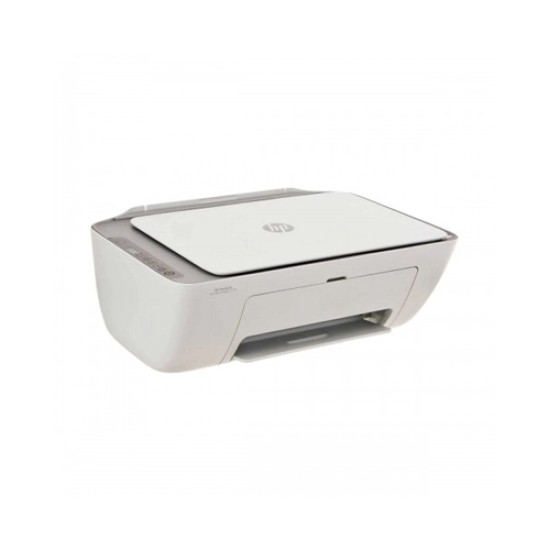
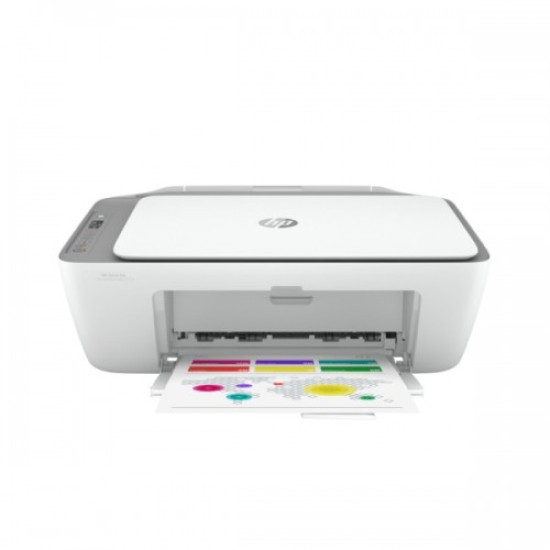
The HP DeskJet Ink Advantage 2775 All-in-One Printer is a compact and versatile printer designed to meet the needs of both home and small office users. This all-in-one device allows you to print, scan, and copy with ease, ensuring high-quality output for all your documents and photos. With its sleek design, the HP DeskJet 2775 fits comfortably on any desk, saving space without compromising functionality. It supports wireless printing, enabling you to print directly from your smartphone, tablet, or laptop through HP Smart App. The printer uses HP 664 ink cartridges, which deliver sharp text and vibrant colors while keeping printing costs affordable. Additionally, it is energy-efficient, operating quietly and consuming minimal power, making it an environmentally-friendly choice. Perfect for everyday printing tasks, whether you need to create school projects, work documents, or personal photos, the HP DeskJet Ink Advantage 2775 ensures reliability, simplicity, and high performance in one compact package.
Advanced Key Features, Special Benefits & Buying Guide of HP DeskJet Ink Advantage 2775 All-in-One Printer
Designed for efficiency and convenience, the HP DeskJet Ink Advantage 2775 offers numerous features that make printing simpler and more cost-effective. Here’s what you should know before purchasing:
Advanced Key Features:
- All-in-One functionality: print, scan, and copy in a single device
- Wireless connectivity: print from smartphones, tablets, and laptops
- Compact design that saves space on your desk
- High-quality print output with sharp text and vibrant colors
- HP 664 ink cartridges for economical printing
- Simple setup and user-friendly interface
Special Benefits:
- Supports mobile printing via HP Smart App
- Energy-efficient operation for reduced power consumption
- Quiet printing for home or office environments
- Affordable running costs and reliable performance
- Ideal for personal, academic, or small office use
Buying Guideline:
- Ensure compatibility with your devices (Windows, Mac, iOS, Android)
- Check your printing volume needs to choose the right ink plan
- Consider space availability for the printer setup
- Look for warranty options for long-term assurance
- Evaluate connectivity options (USB, Wi-Fi, HP Smart App)